Our genealogy site is restricted; visitors register with a form at https://macaneseheritage.org/login/?lang=en.
Read about redirectsRead about the Registration Form
Migration to New Systems
Original System
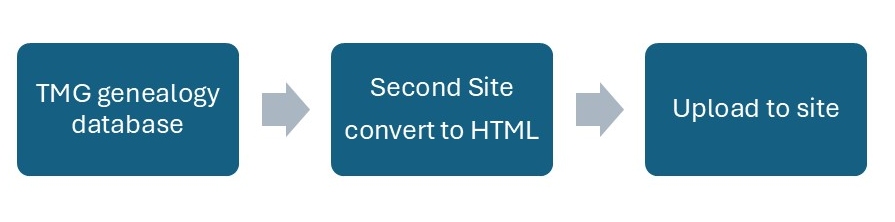
Our genealogy database was developed using The Master Genealogist (TMG) program. Read about TMG.
The Second Site system was then used to convert the data to HTML format (the language of websites), ready to be uploaded to the website.
TMG is no longer supported, although an active User’s Group provides valuable support. However, transferring to another genealogy system may not be seamless: care will be needed to ensure that data are not lost.
Interim system
Second site only accepts data from TMG. Transfer of data between different genealogivcal software systems is facilitated by GEDCOM, standardised text file format.
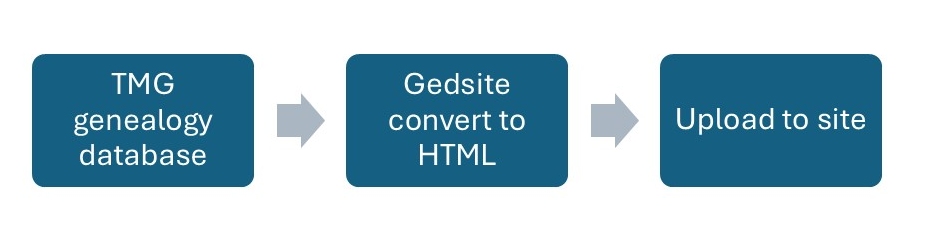
Gedsite is a system similar to Second Site but based on GEDCOM, so it can more readily accept data from other genealogy programs.
We shall therefore migrate in two stages: an interim step using TMG but use Gedsite instead of Second Site to convert data to HTML format.
Final system
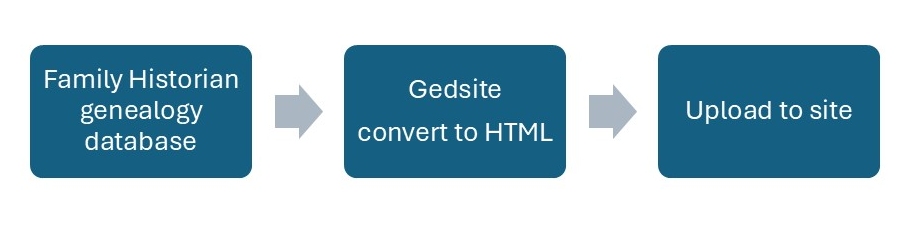
The plan is ultimately to replace TMG and have genealogy data managed by the Family Historian (FH) program. (A possible alternative is History Research Environment (HRE), a system still under development.)
Sites
We have two sites with genealogical data: En (English) and Pt (Portuguese). These are maintained as local sites on a desktop where changes are made and tested before uploading to the website.
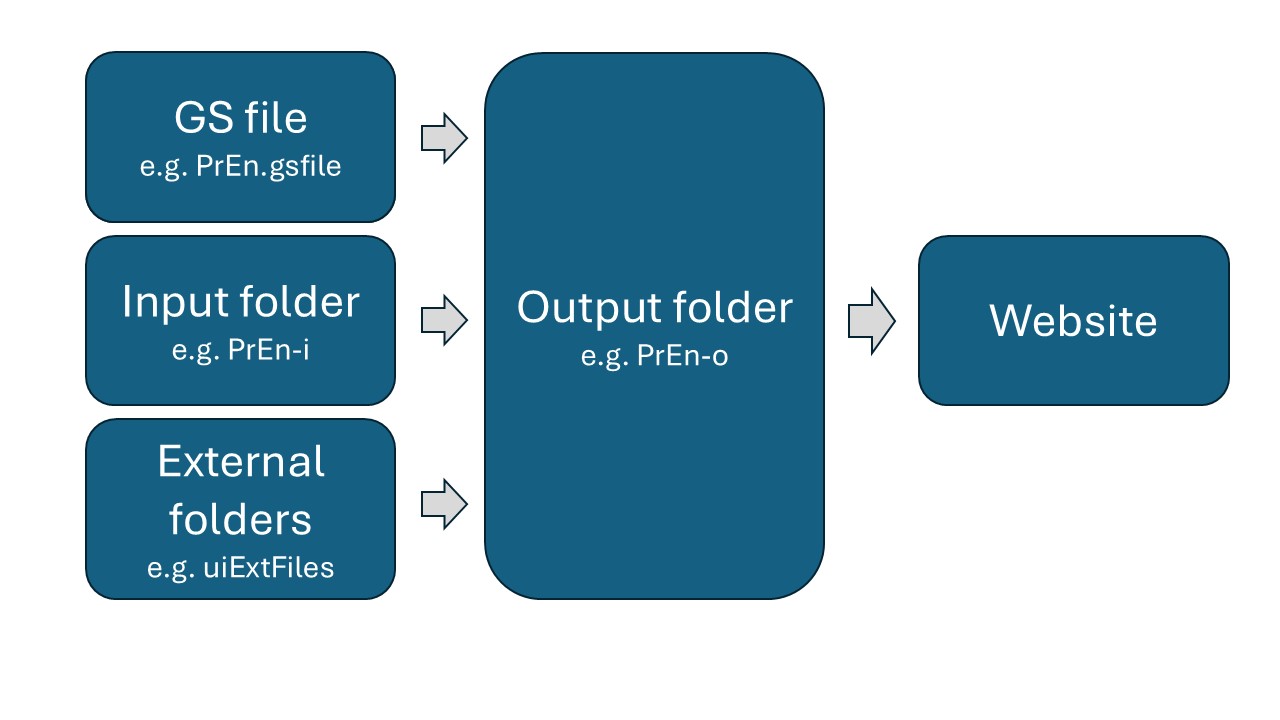
The appearance and performance of the English and Portuguese sites are set by their .gsfiles (En.gsfile and Pt.gsfile). These two files are identical except for two settings that control the language shown. See how this is done
Each local site has an input folder (e.g., En-i) and subfolders with data (e.g., images, articles, biographies). There are also external files (e.g., Nicknames) in external folders which are shared between the two sites.
When Gedsite "makes" a local site (by processing the .gsfile and all the relevant data), it creates an output folder (e.g., En-o) with data ready to be published (uploaded to the live, restricted website (English or Portuguese)).
Making the site
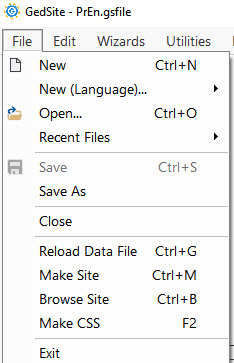
File>Make Site (or Ctrl-M on a PC) converts data to HTML code in the output folder (e.g., En-o) ready for upload (Publish) to the website.
Publish (upload to website)
After Make Site, upload to the website by clicking on Dashboard>Publish.
Person Pages
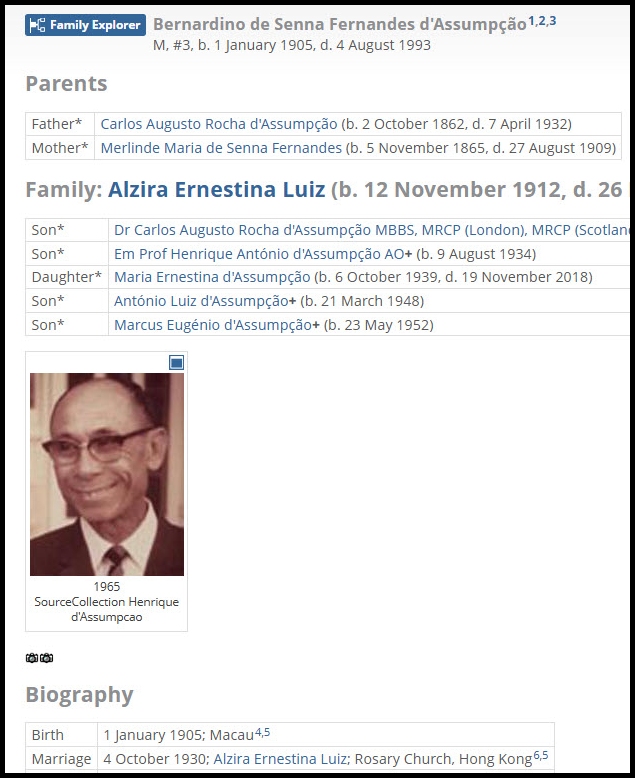
At the heart of the website are the individual Person Pages. Every person has a Person Page with details like parents, spouse, children, birth, death, marriage, photos. Its content is determined by the genealogy program (currently TMG or in future Family Historian), by Gedsite's Person Entry component and by other content entered via UserItems.
The primary purpose of navigations aids is to find a Person Page. Navigation is facilitated by:
the MenuBar and the Bottom Bar
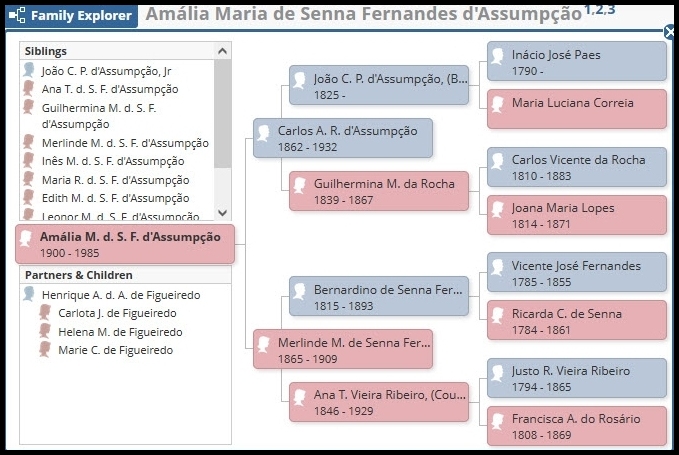
the Family Explorer is a quick navigation aid that shows the subject's immediate family and three generations of ancestors.
Search facilities
Links from external files to Person Pages
Links from faces in images to Person Pages
Links in Tooltips
These are considered below.
Top MenuBar and Bottom Bar
The top MenuBar and Bottom Bar appear on all Gedsite pages (but not on files external to Gedsite). Their items are entered as User Items (see details).
Family Explorer
Family Explorer is a quick navigation aid that shows the subject’s immediate family and three generations of ancestors.
Search
Two search techniques are provided:
Search using the person's ID number
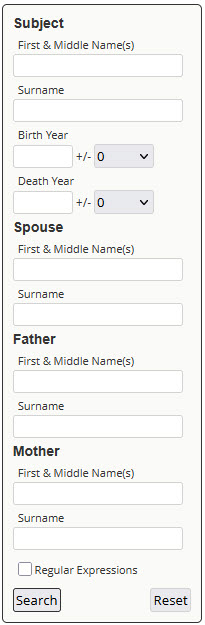
Search using clues like the person's birth date, mother's name, spouse's name, etc.
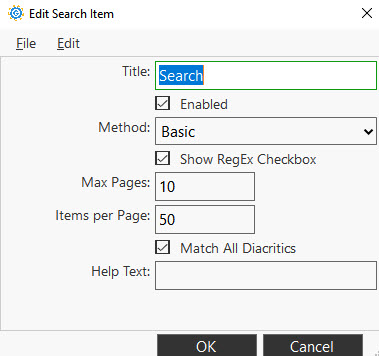
Many Portuguese names have diacritics (accented characters like á, õ). To facilitate searches, check Match All Diacritics in User Items > Search > Search; then when searching for a surname like E;ça, all you need enter is Eca.
The Regular Expressions field enables more advanced searches when the spelling of a name is uncertain — for example, Pina/Pinna, Luís/Luiz.
Links
There are numerous links to Person Pages from GS, TMG and external files. Read about links
Lorem ipsum dolor sit amet, consectetur adipiscing elit. Ut elit tellus, luctus nec ullamcorper mattis, pulvinar dapibus leo.
Lorem ipsum dolor sit amet, consectetur adipiscing elit. Ut elit tellus, luctus nec ullamcorper mattis, pulvinar dapibus leo.